NBA Clickbait Thumbnail Maker
Shocked faces, huge stat text, arena lights — generate the viral basketball-highlight look for your videos in seconds.
Style prompt — edit the subject, keep the style
Generate This StyleFree credits on signup — no card required
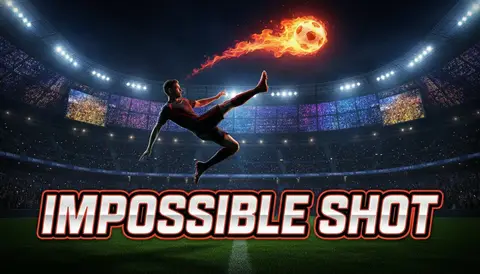
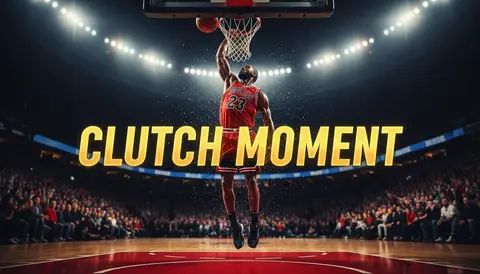
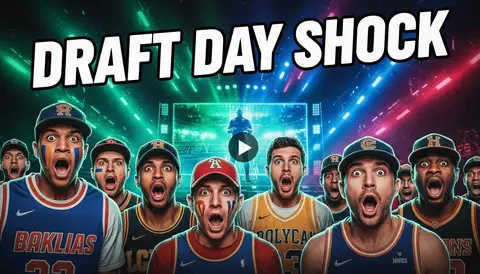
Your highlights deserve the clicks
Generate shocked-face, big-stat basketball covers with free credits — no Photoshop, no template pack.
Make a Basketball Clickbait Thumbnail in 3 Steps
Describe the moment
A 50-point night, a buzzer beater, a trade reaction — swap your storyline into the preset prompt.
Generate variations
Up to 6 versions per run; keep the one with the loudest stat text and the most shock.
Download and post
1280×720, upload, and let the "wait, WHAT?" clicks roll in.
The Viral Hoops Thumbnail Formula
One dramatic action pose — a dunk, a stare-down, a celebration — as the anchor
A shocked reaction face inset in the corner, the signature of hoops clickbait
Huge condensed stat text: "50 PTS?!", "TRADED??", "GAME 7"
Red arrows and glow circles that manufacture a spot to look at
Arena spotlights and confetti for playoff energy on a random Tuesday
Saturated jersey colors that stay loud at search-result size
Frequently Asked Questions
What is an NBA clickbait thumbnail?
The house style of basketball YouTube: a dramatic play, a shocked face inset, and a giant stat or question in condensed type. This generator produces that exact recipe from a one-line description.
Is this affiliated with the NBA?
No. It’s an unofficial style tool that generates original basketball-style art. It isn’t endorsed by the NBA and doesn’t reproduce team logos or broadcast graphics.
Can I use real players’ faces?
Generated players are AI-original, not real people. For the reaction inset, upload your own face — a genuine shocked expression from you outperforms a stock star and keeps you clear of likeness issues.
Does clickbait actually work for basketball videos?
Highlight and commentary channels live on curiosity: a stat with a question mark out-clicks a plain title card. The video still has to pay it off — the thumbnail just wins the impression.
What text should I put on a basketball thumbnail?
Numbers and questions: "50 PTS?!", "DOWN 3-1", "TRADED??". Two to four words in heavy condensed type with an outline — readable at 168 pixels or it doesn’t count.
How many free thumbnails do I get?
10 welcome credits on signup, plus 10 bonus credits after your first generation — about 10 thumbnails free, no card required.
What sizes do I get?
1280×720 for videos, 9:16 vertical for Shorts highlights.