Minecraft Thumbnail Creator
Blocky voxel renders, dramatic block-world lighting, chunky 3D text — the Minecraft thumbnail maker that needs no Blender and no render queue.
Style prompt — edit the subject, keep the style
Generate This StyleFree credits on signup — no card required
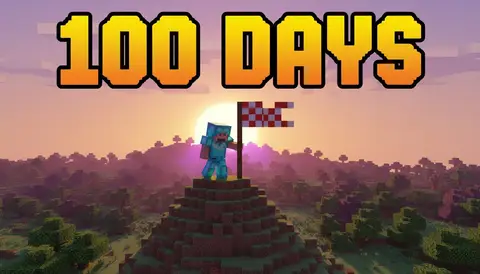
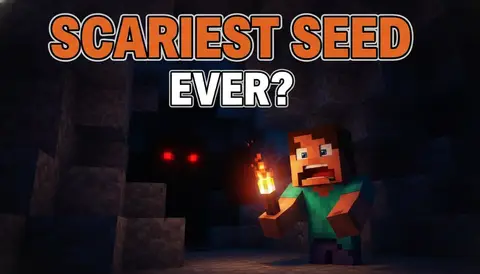
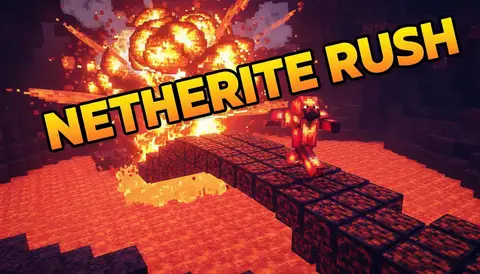
Your next episode needs a cover
Generate a blocky, render-quality Minecraft thumbnail with free credits — no 3D software involved.
Create a Minecraft Thumbnail in 3 Steps
Describe your episode
100 Days, hardcore survival, a build battle — swap your subject into the preset and the voxel style stays locked.
Generate variations
Run up to 6 versions and pick the one that reads best at search-result size.
Download in YouTube spec
Full 1280×720, ready to upload — no 3D software, no hour-long render.
What Makes a Minecraft Thumbnail Work
Voxel-render look that reads as in-game while being sharper than any screenshot
Dramatic low-sun lighting with long block shadows for instant depth
Chunky 3D text with thick outlines — the style Minecraft viewers expect
Emerald, diamond, and lava accents that pop against grass and stone tones
One clear subject — your character, a mob, or the build — framed for mobile size
A consistent look across a series, so episode 47 matches episode 1
Frequently Asked Questions
What is a Minecraft thumbnail creator?
An AI generator preset for the blocky voxel style — describe your episode and it renders a Minecraft-style cover with dramatic lighting and chunky 3D text, no Blender rig required.
Is this affiliated with Mojang or Minecraft?
No. This is an unofficial style tool — it generates original voxel-style art inspired by the blocky aesthetic. It doesn’t use game assets and isn’t endorsed by Mojang or Microsoft.
Can it make covers for 100 Days and hardcore videos?
Those formats live on this style: your character, a threat, dramatic lighting, and a big "100 DAYS" or "HARDCORE" text block. Swap in your twist and generate.
Can I use my Minecraft skin or my face?
Upload a photo of yourself for the face reference feature, or describe your skin ("green hoodie, black hair") and the generator builds a matching blocky character.
Why not just use an in-game screenshot?
Screenshots are flat: no rim light, no depth of field, no oversized text. Big Minecraft channels use rendered-style covers because they still pop at 168 pixels wide.
How many free covers do I get?
10 welcome credits on signup, plus 10 bonus credits after your first generation — about 10 thumbnails free, no card required.
What resolution do I get?
Full 1280×720 YouTube spec, plus 9:16 vertical for Shorts.